
What a smile simulator does on an implant practice website, why it converts the visitor who was never going to call, what it costs to run, and the privacy questions to settle before you add one.
Most implant practice websites ask a visitor to do one of two things: call the office or fill out a form. A visitor who has spent ten minutes reading about All-on-4 at eleven at night is not ready to do either. They close the tab, and the practice never knows they were there. The site had their attention for ten minutes and offered nothing that did not require a commitment.
A smile simulator changes the ask. The page stops saying "contact us" and starts saying "see what you would look like." The visitor uploads a smiling photo, sees a preview of their new smile in seconds, and is then offered a button to book. The decision to reach out comes after they have seen something, not before. That ordering is the whole point, and it is why the largest dental groups run simulators as lead magnets rather than as novelties.
This guide covers what a smile simulator does for an implant practice, why it works on the specific patient a full-arch practice wants, what it does to bookings, what it costs to run, and the privacy questions to ask before adding one.
What does a smile simulator do on a dental website?
It lets a visitor upload a photo of their own smile and see a generated preview of that smile restored, without creating an account or handing over a phone number first. The result appears next to the original with a slider to compare, and a button to book a consultation or call the office sits under it.
What the visitor sees
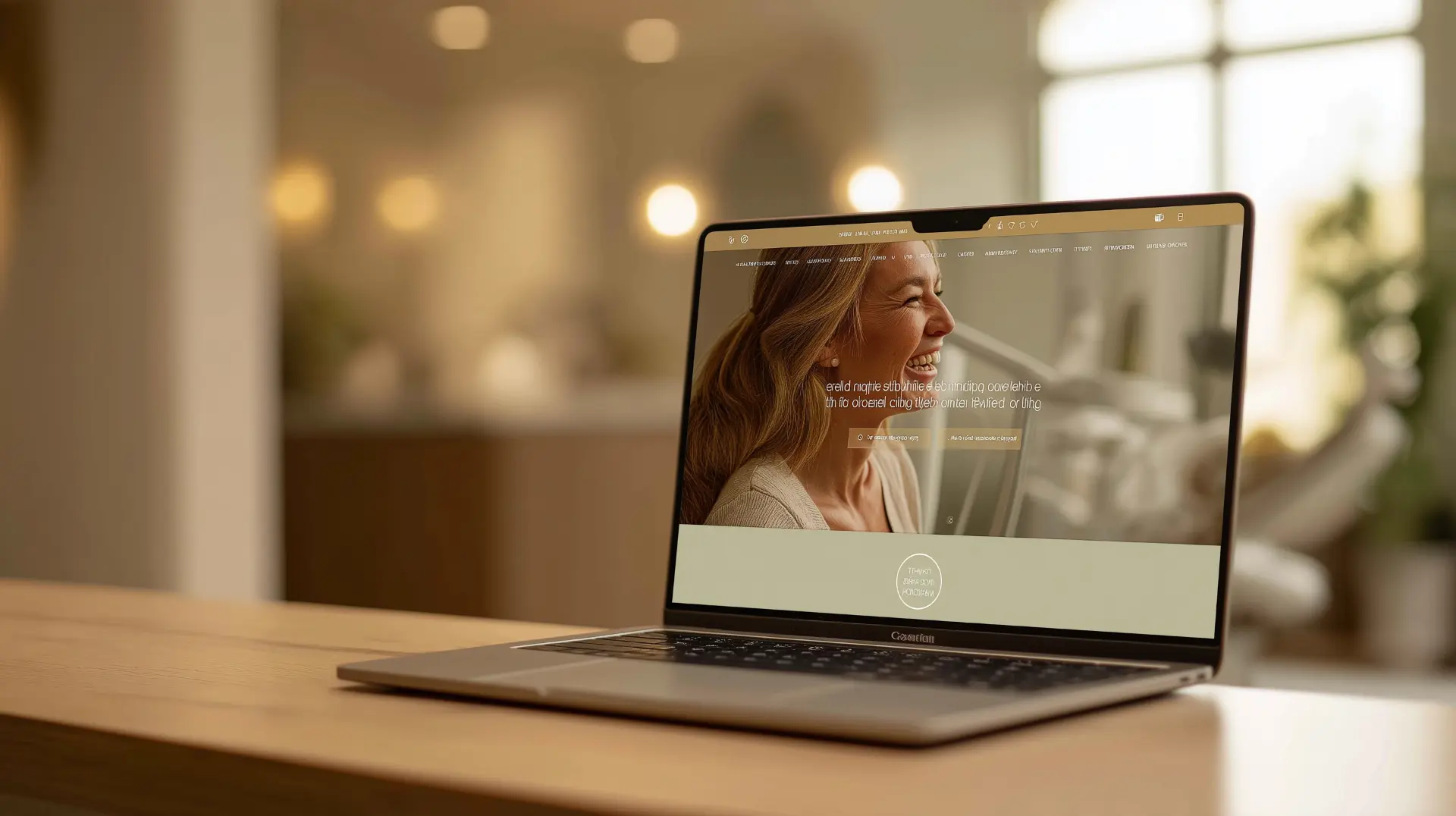
A single page in the practice's branding with one instruction: choose a photo or take one. The visitor uploads a smiling photo from their phone, waits ten to thirty seconds, and sees their own face with a full, natural smile. They can drag a slider between before and after, download the preview, try another photo, or tap the booking button. A line under the result explains that the preview is a visualization, not a clinical prediction, and that the dentist will explain the actual treatment options.
What the practice gets
A visitor who has already imagined the outcome and chosen to go further. The booking button appears only after the preview, so the people who click it have self-selected twice: once by uploading a photo of a smile they want to change, and once by deciding the result was worth a conversation. That is a different inquiry from a form fill submitted to ask about price.
Why does a smile simulator work on full-arch patients in particular?
Because full-arch patients are driven by how they look and how they feel about how they look, more than any other patient in dentistry, and because they research for weeks before they call. The guide to why implant patients ghost after the consult covers the fear that sits under most full-arch decisions. A simulator addresses that fear before the consult, on the patient's own face.
It lowers the first step
A full-arch patient who has hidden their smile for years is not eager to call a stranger and describe their mouth. Uploading a photo in private, at home, with no one watching, is a step they will take. Align Technology built SmileView for Invisalign for exactly this reason, and it became one of the most effective lead tools in orthodontics because a patient who has seen their own result behaves differently from one who has read a brochure.
It pre-qualifies without a form
A visitor who uploads a photo of a smile with missing or failing teeth and then clicks to book is telling the practice what they need before the first call. The front desk is not fielding a vague "how much are implants" inquiry. It is scheduling someone who has already pictured the result.
It gives the coordinator something to talk about
A consultation that opens with the patient's own preview on the screen starts from the outcome instead of from the problem. The full-arch consultation script is built around the patient's situation and goal. The preview is the goal, in a picture they made themselves.
What does a smile simulator do to consult bookings?
It raises the share of visitors who take an action, and it changes what that action is. There is no universal benchmark, and any vendor who quotes one is guessing. What a practice can measure is this: how many visitors run a preview, how many of those click the booking button, how many of those book, and how many of those become cases.
Expect previews to outnumber bookings by a wide margin. That is fine, because previews cost cents and a full-arch case is worth $25,000 to $50,000 or more. The number that matters is the same one that matters for every channel, cost per case, and the guide to what a full-arch case costs to acquire explains why a simulator that produces three bookings a month from traffic the site was already getting is one of the cheapest sources a practice has.
The simulator also does something for paid traffic. A visitor who arrives from a Google ad and lands on a page with a simulator button has a reason to stay that a page with only a phone number does not offer. The guide to the full-arch landing page that converts covers what belongs above the fold, and a "See Your New Smile" button belongs there.

What does it cost to run a smile simulator?
It depends on the vendor. Enterprise simulators are sold on monthly subscriptions and multi-year contracts, priced for groups with dozens of locations. The simulator Dental Implant Directory provides to practices works differently: the first 25 previews are free, and after that the practice connects its own Google AI key and Google bills the practice directly at about 7 cents per preview.
To keep the bill predictable, each visitor can run three previews a day and each practice's page is capped at 50 previews a day. A practice can also set a monthly spending limit on the key in Google. At 7 cents, a thousand previews cost $70. If one of those thousand becomes a full-arch case, the simulator has paid for itself several hundred times over.
Is a smile simulator private, and is it HIPAA compliant?
That depends entirely on what happens to the photo, and it is the question to settle before signing anything. A photo of a prospective patient's face is about as identifiable as data gets. If a vendor stores it, the practice now has a record of a person's face on a server it does not control, subject to breach, subpoena, and the vendor's own terms about using images to train or improve their system.
The simulator Dental Implant Directory provides never stores the photo, not on its servers and not on the practice's website. The photo is resized in the visitor's own browser, which also strips the location data a phone embeds in image files. It is sent once to create the preview, and the result goes straight back to the visitor's screen. When the visitor closes the page, the photo and the result are gone. There is nothing to breach because nothing is kept.
Three questions to ask any simulator vendor
- Is the photo stored anywhere, for any length of time, including temporarily? Ask for the retention policy in writing.
- Where is the photo processed, and does the vendor or its model provider keep a copy to improve the system?
- Will the vendor sign a business associate agreement? If the answer is a shrug, the vendor has not thought about the question, and the practice is the one carrying the risk.
A vendor that stores photos so the practice can "see leads" is offering the practice a liability dressed as a feature. The inquiry that matters is the booking click, and that reaches the practice without anyone keeping the photo.
Where should the simulator live on your website?
On its own branded page, reached by one button that appears everywhere a prospective patient is deciding. The page carries the practice's logo, colors, and fonts, so the patient never feels they have left the practice's site. The button goes in the main navigation, near the top of the implants or All-on-4 service page, under the hero on the full-arch landing page, in a Google Business Profile post, and in the email signature of everyone who talks to patients.
It also belongs in the follow-up. A patient who had a consultation and went quiet can be sent their own preview link in the second or third message of the post-consult follow-up sequence. The guide to adding a smile simulator to your website covers setup and button placement on each website platform.
What should the practice do with a visitor who used the simulator?
Treat the booking click as a warm inquiry and handle it like one. A visitor who books after a preview should hear back the same day, and the coordinator should mention the simulator in the first call: "You saw your preview on our site. Let's talk about what it would take to get there." A visitor who calls instead of booking online will often say they used it, and the front desk should note it as the source so the practice can count what the simulator produces.
Add "smile simulator" to the how-did-you-hear options on the intake form, put a tracking parameter on the booking link the simulator uses, and review the numbers monthly alongside every other channel. A simulator that is never measured will be judged on feel, and feel is how most marketing tools get cut.
The Bottom Line
A smile simulator turns the visitor who was never going to call into one who has seen their own result and chosen to go further. It works on full-arch patients because their decision is about their face, and it produces inquiries that arrive pre-qualified and pre-sold. Run it on a branded page reached by one button everywhere a patient is deciding, pick a vendor that never stores the photo, and measure it down to cost per case like any other channel. And when you are ready, set up a free smile simulator for your practice website.
Get found by implant patients
Join the directory and start receiving qualified inquiries in your area. Plans start at $19.99/month.
Explore Listing Plans